
Boosted Ad Maker by Lightricks
Lightricks Ltd.Video Players & Editors
4.31.38K Reviews
- Version
- 1.8.6.1
- Installs
- 5.00M
- Age Rating
- Everyone
Screenshots
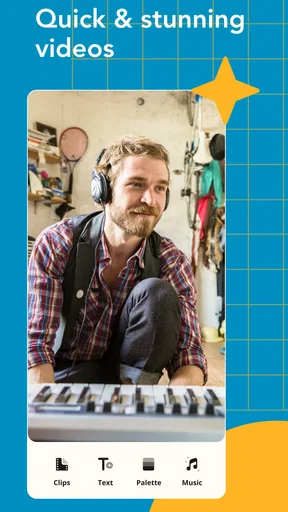
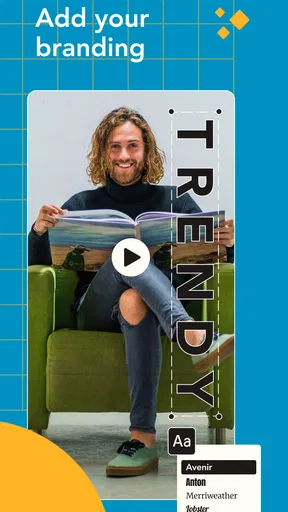
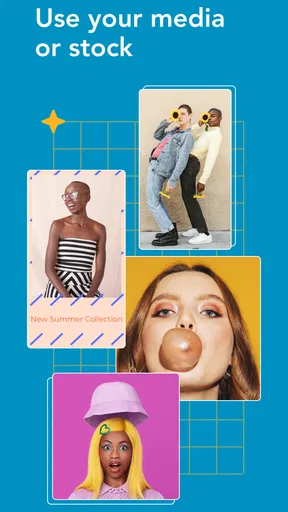
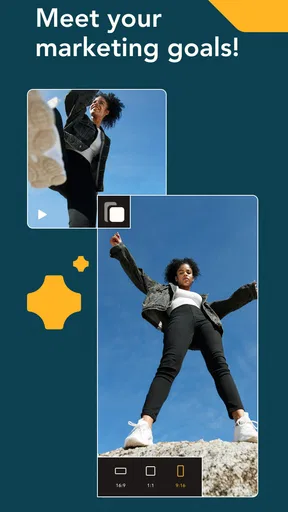
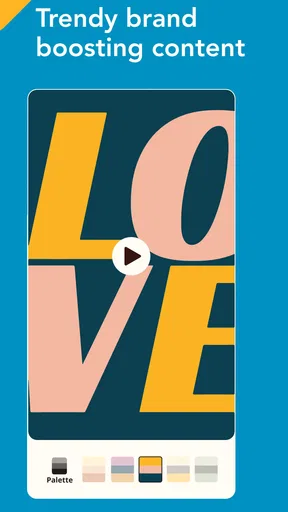
Our Review of Boosted Ad Maker by Lightricks
 Analysis by Appyee
I think Boosted Ad Maker by Lightricks makes the most sense when you need a polished promotional video quickly, but don’t want to build one from scratch in a general-purpose editor. It is a video-making app from Lightricks Ltd., aimed at turning ad ideas into social-ready content through guided design choices. That focus is useful: rather than asking you to assemble every element yourself, it gives you a starting point and lets you shape the result around your message.
Where it fits in a creator’s routine
A realistic use for me would be preparing a short promotion for a weekend sale or a new service. I could choose a template, replace its sample wording with the offer, add a product image, and check that the important details remain readable before sharing. That kind of workflow is especially appealing to a small shop owner who may not have a designer on hand but still wants something more composed than a quick phone clip with text layered over it.
The template-led approach also changes how I would plan the message. I’d write the key information first—what is being offered, who it is for, and what action I want viewers to take—then choose a visual style that supports it. Trying to squeeze a full sales pitch into a short ad is a common trap; a template can make the result look complete even when the wording is too crowded. I would keep the copy brief and treat the preview as a chance to check both the design and the clarity of the pitch.
For occasional creators, the appeal is not only speed. A repeatable process can help a business keep a recognizable look across several promotions. If I were making ads for different products, I’d settle on a small set of brand colors and fonts, then reuse those choices rather than redesigning each video from zero. That can make a feed feel more consistent, though the templates still need enough editing to avoid making every post look like the same preset.
Choosing it over a general video editor
Compared with a conventional mobile video editor, Boosted is more of a guided ad-making tool than an open-ended timeline workspace. That distinction is important. A general editor is usually the better choice when I need precise control over clips, detailed timing, layered sound, or a story that does not fit a promotional template. Boosted is more appealing when the priority is a tidy marketing asset and I want design decisions to be easier to manage.
It also occupies a different middle ground from designing a static post in a graphics app. A still image may be enough for a simple announcement, and it can be quicker to produce when movement adds nothing to the message. If a promotion benefits from animated text or a moving visual, though, a video format can help it catch the eye. I would choose based on what the content needs, not assume that every social post should be a video.
One practical trade-off with templates is that convenience can narrow the creative direction. They help me avoid starting with a blank screen, but the finished ad can feel familiar if I accept every default. I’d change the most visible elements—headline, colors, image, and pacing—so the result reflects the business rather than just the template. For a highly distinctive campaign or a complicated brand brief, a professional design or editing workflow may still be the better fit.
First Impressions and Getting Started
Right off the bat, opening Boosted Ad Maker by Lightricks is like stepping into a designer’s paradise. The interface is sleek and intuitive, which is always a plus for those of us who aren't exactly tech wizards. I was greeted with a variety of templates tailored for different platforms, from Instagram to Facebook, making it super easy to pick and choose based on what I needed.
Setting up was a breeze too. After a quick sign-up, I was ready to explore the templates. The app offers a free version with some decent options, but the real magic happens once you unlock the premium features. If you’re serious about your content creation, it might be worth considering the upgrade.
Features that Stand Out
One of the coolest features I found was the drag-and-drop functionality. It’s like playing with digital building blocks where you can place elements exactly where you want them. Plus, the range of templates is impressive. Whether you’re going for a minimalist look or something more vibrant, there’s something for everyone.
The animation options are another highlight. Adding movement to your ads can really make them pop, and Boosted doesn’t disappoint. You can animate text, photos, and even the background, giving your content that extra wow factor.
Let’s not forget the stock library. With a whole arsenal of images and videos at your disposal, finding the right visual is a piece of cake. The app integrates seamlessly with music libraries too, so your ads can have a catchy beat without any hassle.
Easily Customizable
Customization is where this app truly shines. You can tweak colors, fonts, and even add your own branding. It’s perfect for businesses looking to maintain a consistent brand image. I loved playing around with the different fonts and color schemes; it felt like I had my own little creative studio in my pocket.
Another neat feature is the ability to preview your designs before publishing. It’s a lifesaver to see how your ad looks in real-time, especially if you’re a perfectionist like me. The live preview ensures that everything looks just right before hitting that publish button.
Making the most of a template
My most useful tip is to treat the first draft as a layout, not a finished ad. I’d replace the sample headline before choosing decorative details, then check whether the offer remains understandable when the video is viewed quickly. A viewer may only glance at a social post, so the main benefit should be easy to spot. If the text competes with the image, simplifying the copy is usually more effective than adding another animated element.
I’d also preview the composition with the likely viewing context in mind. Important wording near an edge can be easy to miss when content appears in a social feed, so I would keep key information comfortably within the central area. This is a general design precaution rather than a special setting: a preview helps, but it cannot make an unclear headline persuasive or guarantee how every platform will display a post.
For a recurring promotion, I’d save a clean version of the visual direction and make deliberate changes for each new offer. Reusing a palette and type style can build recognition, while changing the product image and headline keeps the individual ad relevant. The trade-off is that consistency can slide into sameness; I would vary the emphasis or imagery rather than simply swapping one price or product name into an unchanged design.
Sharing and Publishing
Once your masterpiece is ready, sharing it is a walk in the park. The app supports direct uploads to social media platforms, saving you from the tedious task of downloading and re-uploading your content. You can also save your creations to your device, which is great for archiving your work or sharing it through other means.
The app even offers insights into your ad performance. While it’s not as detailed as some dedicated analytics tools, it’s handy to have a basic idea of how your content is doing out there in the wild.
What to expect from the current app
Boosted is listed as a free app for everyone, with in-app purchases priced from $9.99 to $119.99 per item. I would start with the free experience and see whether its available templates and editing tools cover my actual needs before paying. The range of purchase prices makes it sensible to check the purchase screen carefully and decide what, if anything, is worth unlocking for a particular workflow. A free download does not mean every option is included at no cost.
The app has an average rating of 4.3 from around 89,000 ratings, and it has been installed over 5 million times. Those figures suggest that it has found a substantial audience, but they don’t tell me whether a specific feature or template suits my project. I’d use them as context, then judge the app by a small test ad of my own: if I can make one clear, on-brand promotion without fighting the interface, that is more relevant to me than popularity alone.
Its release date is December 31, 2019, and the current version is 1.8.6.1. That tells me the app has a history and that this is the version users can currently assess; it does not, by itself, show which features changed along the way or predict what will be added next. Existing users should judge an update by whether it improves their everyday creation and sharing process, rather than assuming a version number means a major redesign. I would watch future changes for practical improvements to editing, export, and template variety, while treating those as things to look for—not promises.
Where the limits matter
The clearest limitation is the app’s promotional focus. If I wanted to make a longer video essay, precisely cut a sequence of footage, or build a complex edit with fine control over timing, I’d reach for a dedicated video editor instead. Likewise, someone who only needs a clean poster or announcement may be better served by a static graphic workflow. Boosted is most persuasive when the job is specifically to make a short, designed ad without taking on a full editing project.
There is also a judgement call around the performance insights. They may be useful as a quick pulse check, but I would not base a marketing strategy on a basic in-app overview alone. For decisions about audience response or campaign results, I’d use the analytics available through the relevant social platform or a dedicated reporting tool. Keeping creation and measurement in separate tools adds a step, but it avoids expecting a design app to answer every marketing question.
The store description presents Boosted as a marketing-video and social-ad creation app, and that is how I would evaluate it: as a focused production shortcut, not a replacement for every creative tool. Lightricks Ltd. is the developer, and the app is in the video players and editors space. It requires Android 8.0 or later, so I would check my device’s operating system before planning to use it there. The age rating is Everyone, which makes the audience broad, although the app’s practical value depends more on whether the user needs promotional video creation.
Final Thoughts
In a world where content creation is king, Boosted Ad Maker by Lightricks stands out as a fantastic tool for anyone wanting to create professional-looking ads without breaking the bank. Sure, it’s not without its learning curve, especially if you’re new to design, but the intuitive interface and wide range of features make it worth the effort.
Whether you’re a small business owner, a social media influencer, or just someone who loves dabbling in design, this app has something to offer. So why not give it a spin? You might just find it’s exactly what you’ve been looking for to give your content that extra edge.
My recommendation is strongest for people who make short social promotions regularly and value a guided starting point over complete editing freedom. If that sounds like you, try one real campaign before committing to paid options: use your own wording and branding, preview the result, and see whether the workflow saves time without making the ad feel generic. If you need precise production control, deep analytics, or only occasional static graphics, another tool may suit you better. For the right job, though, Boosted offers a practical way to turn a simple promotion into a more considered video.
Verdict
Strengths of Boosted Ad Maker by Lightricks
- User-friendly interface for quick edits.
- Wide variety of templates available.
- High-quality export options.
- Seamless integration with social platforms.
- Regular updates with new features.
Limitations of Boosted Ad Maker by Lightricks
- Requires subscription for full access.
- Limited free template options.
- Occasional app crashes reported.
- Heavy on battery usage.
- No offline editing capability.
Other Releases by Lightricks Ltd.
View All
Motionleap by Lightricks
Photography4.0

Facetune: Hair, Photo Editor
Photography4.4

Lightleap by Lightricks
Photography4.0

Videoleap: AI Video Editor
Video Players & Editors4.5
Similar Picks in This Category
View All
Google TV
Google LLC3.9

iTunes
Apple4.7

YouTube
Google LLC3.8

MX Player
Amazon Mobile LLC4.2

CapCut - Video Editor
Bytedance Pte. Ltd.3.5

PLAYit-All in One Video Player
PLAYIT TECHNOLOGY PTE. LTD.4.5
Frequently Asked Questions
What features does Boosted Ad Maker by Lightricks offer?
Boosted Ad Maker by Lightricks provides a comprehensive suite of tools for creating stunning video ads. Features include customizable templates, a vast library of stock footage and music, text animations, and easy-to-use editing tools. The app also offers brand customization options, allowing users to incorporate logos, colors, and fonts to maintain brand consistency.
Is Boosted Ad Maker suitable for beginners?
Absolutely. Boosted Ad Maker is designed with an intuitive interface that caters to users of all skill levels. The app provides step-by-step guidance and offers pre-made templates, making it easy for beginners to create professional-quality ads without prior design experience. The user-friendly layout ensures a smooth learning curve.
Are there any costs associated with using Boosted Ad Maker?
Boosted Ad Maker offers a free version with basic features, but premium features and assets are available through in-app purchases or a subscription model. The subscription provides access to exclusive content, advanced editing tools, and removes watermarks from your projects. This pricing model allows users to choose the best option based on their needs.
Can I use my own assets in the app?
Yes, Boosted Ad Maker allows users to upload their own images, videos, and music to personalize their ads. This feature enables greater creative control and helps tailor content to specific brand requirements. Custom assets can be seamlessly integrated with the app's templates and editing tools for a cohesive final product.
What platforms can I use Boosted Ad Maker on?
Boosted Ad Maker is available for both Android and iOS devices, ensuring a wide range of compatibility. Users can download the app from the Google Play Store or the Apple App Store. Its cross-platform availability means you can create and edit ads on multiple devices, adding flexibility to your workflow.
